 Grok Bot
Studio
Make your own
Pick a shape, an expression and a colour. The character keeps up.

Your avatar
Pebble · Happy · Blue
Exported artwork · still preview
Customise
Shape
8Expression
16Colour
12Try a different shape, expression or colour. Your selections appear in the live preview.
Motion
15 animation states
Fifteen state previews, including Swirl. Pick one to see its exported artwork in red or cream. These are still images of animation states.

State preview
Idle
An exported still of this animation state.
How you read them
How states communicate status
An expression is the face you pick. An animation state is what the engine plays over it. In the product, the state is how you read the roster: six working moods, Idle, Working, Waiting, Blocked, Thinking and Done. These four are the ones you’ll see most.
Idle
Nothing needs you.

Thinking
Work is happening. Three dots.

Orbit
Longer-running work. Rings spinning; leave it be.
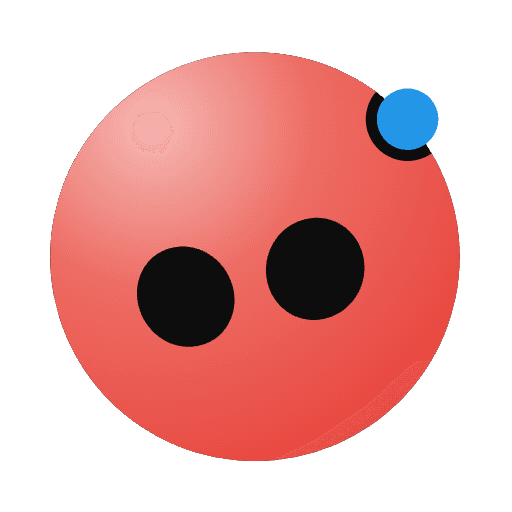
Notification
It needs your attention. A blue dot appears.
Under the hood
Curious how it's drawn?
The artwork comes from the supplied avatar exports. For combinations without an export, the studio uses an approximate generated preview. The details are for developers and the curious.
See the technical details
The supplied PNGs provide eight shape thumbnails, sixteen face thumbnails, and fifteen state previews. Red and cream have a complete set of state exports, including Swirl.
The studio uses the exact exported image whenever its shape, face and colour match. Other combinations use the original SVG renderer and are labelled as approximate. PNGs are still images; they cannot reproduce the original animation or morph between arbitrary combinations.
The fallback renderer samples 64 points around each body and projects two eyes onto its surface. Its fourteen procedural animation loops are approximations and are separate from the fifteen exported state previews.
Want to keep one? grokbots.ai/studio lets you pick a shape, expression and colour, play every animation, and download it as a picture. It’s a community project, not xAI’s, built on Jérémy Perret’s open-source recreation of the avatar. xAI’s own design write-up is the source for the six working moods.